
AI-powered presentation tools are revolutionizing the way we create slides, making it faster and easier to put together professional decks. Two major players in this space are Gamma AI PPT and MagicSlides.app. While Gamma AI PPT is a strong contender, MagicSlides.app provides a compelling alternative, especially for users who rely on Google Slides and need more flexibility at a lower cost.
This guide will provide an in-depth comparison of both tools, examining their features, pricing, usability, and advantages—and subtly highlighting why MagicSlides.app is a superior alternative.
What is Gamma AI PPT?
Gamma AI PPT: AI-Powered Slide Creation
Gamma AI PPT is an AI-driven presentation generator that creates well-structured and visually appealing slides. It simplifies the process by automating slide design, formatting, and structuring content with minimal manual intervention. It’s great for users looking for a streamlined workflow and modern aesthetics.
MagicSlides.app: A Google Slides-Integrated AI Alternative
MagicSlides.app is another AI-powered presentation tool designed to seamlessly integrate with Google Slides. Unlike Gamma AI PPT, which operates as a standalone platform, MagicSlides.app allows users to create AI-generated presentations directly within Google Slides, making it an attractive option for those who prefer staying within the Google ecosystem.
Feature-by-Feature Comparison
| Feature | Gamma AI PPT | MagicSlides.app |
| AI Slide Generation | Yes (from text prompts) | Yes (from text, PDF, image, topic prompts) |
| Customizable Templates | Yes | Yes |
| Google Slides Integration | No | Yes |
| PowerPoint Export | Yes | Yes |
| AI Content Suggestions | Yes | Yes |
| Collaboration Tools | Yes | Uses Google Slides' built-in collaboration |
| AI Image Generation | Yes (basic) | Yes (Pro plan) |
| YouTube Video to Slides | No | Yes (Pro & Premium plans) |
| Data from Google & Wikipedia | No | Yes |
| PDF to PowerPoint Conversion | No | Yes |
| Figma Plugin | No | Yes |
| Zapier Integration | No | Yes |
| AI Chat Assistant | Limited | Included in Pro & Premium plans |
| Mobile Compatibility | Yes (limited) | Yes (full via Google Slides) |
| Pricing | $10 - $20 per month | Starts at $6.7 per month |
| Free Plan | Limited | Yes (Basic AI slides) |
Key Takeaways:
- MagicSlides.app offers direct integration with Google Slides, making it more convenient for users who already work with Google tools.
- MagicSlides supports additional AI features like video-to-PPT and PDF conversion, which Gamma lacks.
- Pricing-wise, MagicSlides.app is more affordable, especially for those who need AI features but don’t want to pay for expensive standalone tools.
Usability & Workflow Differences
Gamma AI PPT: A Standalone AI Presentation Maker
Gamma AI PPT is designed to work independently. Users start by logging into the Gamma platform, entering a topic, and letting the AI generate a structured presentation. The workflow is straightforward, but users must export their slides if they want to use them in PowerPoint or Google Slides.
- Best for: Users who want a quick AI-generated deck with minimal manual input.
- Challenges: Limited editing flexibility compared to standard PowerPoint or Google Slides.
MagicSlides.app: AI Within Google Slides
MagicSlides.app works directly within Google Slides, meaning you don’t need to switch between platforms. This reduces friction and allows users to leverage Google Slides' full editing capabilities alongside AI-generated content.
- Best for: Users who want AI automation but prefer to retain manual control over slide customization.
- Advantages: Since MagicSlides.app works in Google Slides, you can collaborate in real time with colleagues, just like you would with any other Google document.
Pricing: Which Offers Better Value?
| Plan | Gamma AI PPT | MagicSlides.app |
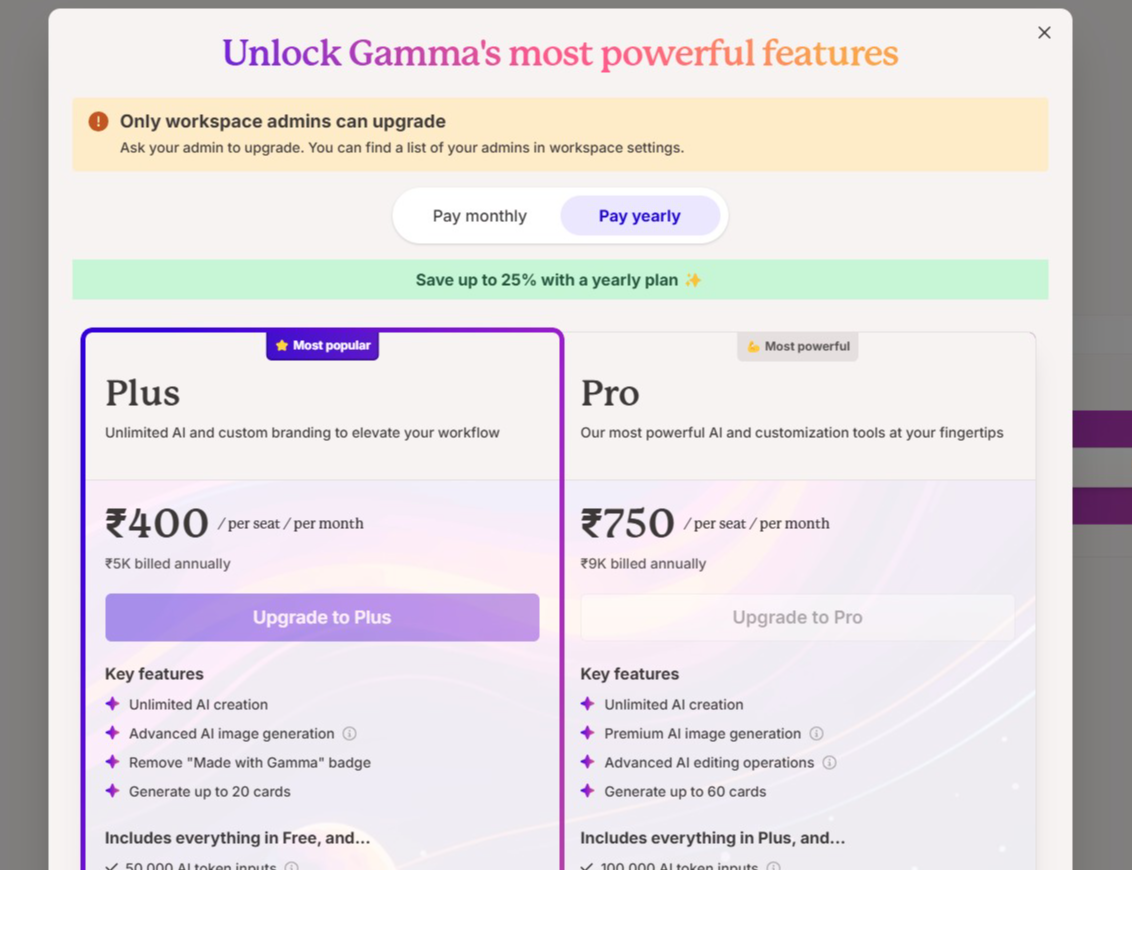
| Free Plan | Basic AI generation, limited exports | Yes (Basic AI slides) |
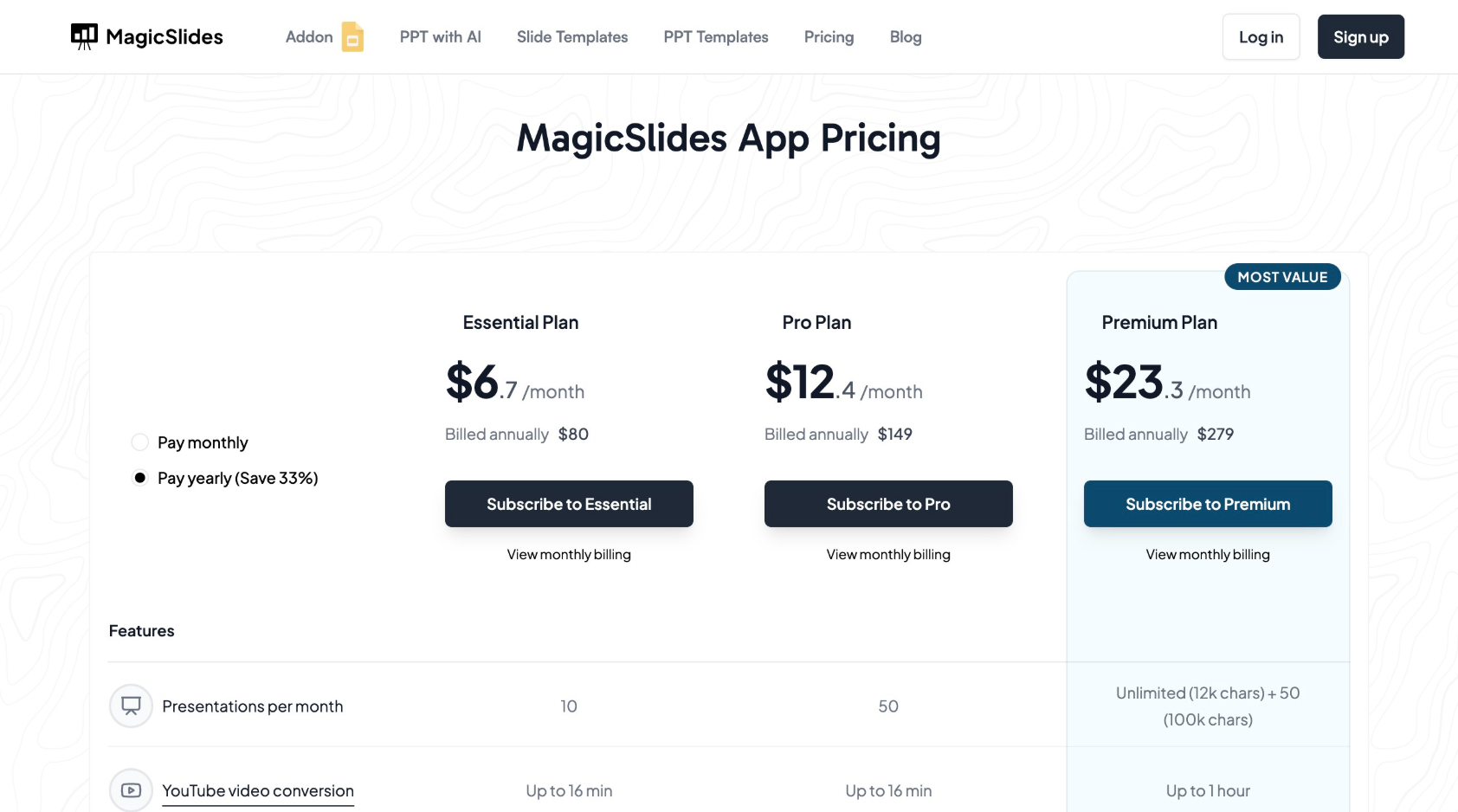
| Plus Plan | $10/month | $6.7/month (10 presentations) |
| Pro Plan | $20/month | $12.4/month (50 presentations) |
| Premium Plan | No equivalent | $149/year (Unlimited AI, YouTube to PPT, AI chat, etc.) |
Which is More Cost-Effective?
- Gamma AI PPT's plans are pricier and lack direct integration with Google Slides.
- MagicSlides.app offers cheaper plans with more features, making it a budget-friendly and feature-rich choice for professionals and educators.
Why MagicSlides.app is a Better Alternative
1. Direct Integration with Google Slides
- Unlike Gamma AI PPT, which requires exporting files, MagicSlides works within Google Slides, allowing real-time collaboration.
2. Additional AI Features
- MagicSlides.app includes AI-driven video-to-PPT conversion, PDF to PowerPoint transformation, and AI chatbot support—none of which Gamma AI PPT offers.
3. More Affordable Pricing
- MagicSlides starts at just $6.7/month, while Gamma AI PPT’s lowest plan is $10/month.
- The Premium plan at $149/year offers unlimited AI slides, making it a cost-effective solution for heavy users.
4. Works Seamlessly with Existing Tools
- Since MagicSlides.app is a Google Slides add-on, you don’t have to learn a new platform—you can continue using the tools you’re familiar with.
5. More Flexibility & Customization
- While Gamma AI PPT automatically formats slides, it limits design freedom.
- MagicSlides.app lets you retain full control over slide design while still benefiting from AI automation.
Final Verdict: Which One Should You Choose?
| If you want... | Choose... |
| A standalone AI tool with automatic formatting | Gamma AI PPT |
| Google Slides integration & real-time editing | MagicSlides.app |
| AI-powered slides at a lower price | MagicSlides.app |
| Advanced AI features (YouTube-to-PPT, PDF conversion, AI chatbot, etc.) | MagicSlides.app |
| More flexibility in slide design | MagicSlides.app |
How to Use Gamma AI PPT
Follow these steps to generate a presentation using Gamma AI PPT:
- Visit the Gamma AI Website – Go to Gamma.app.
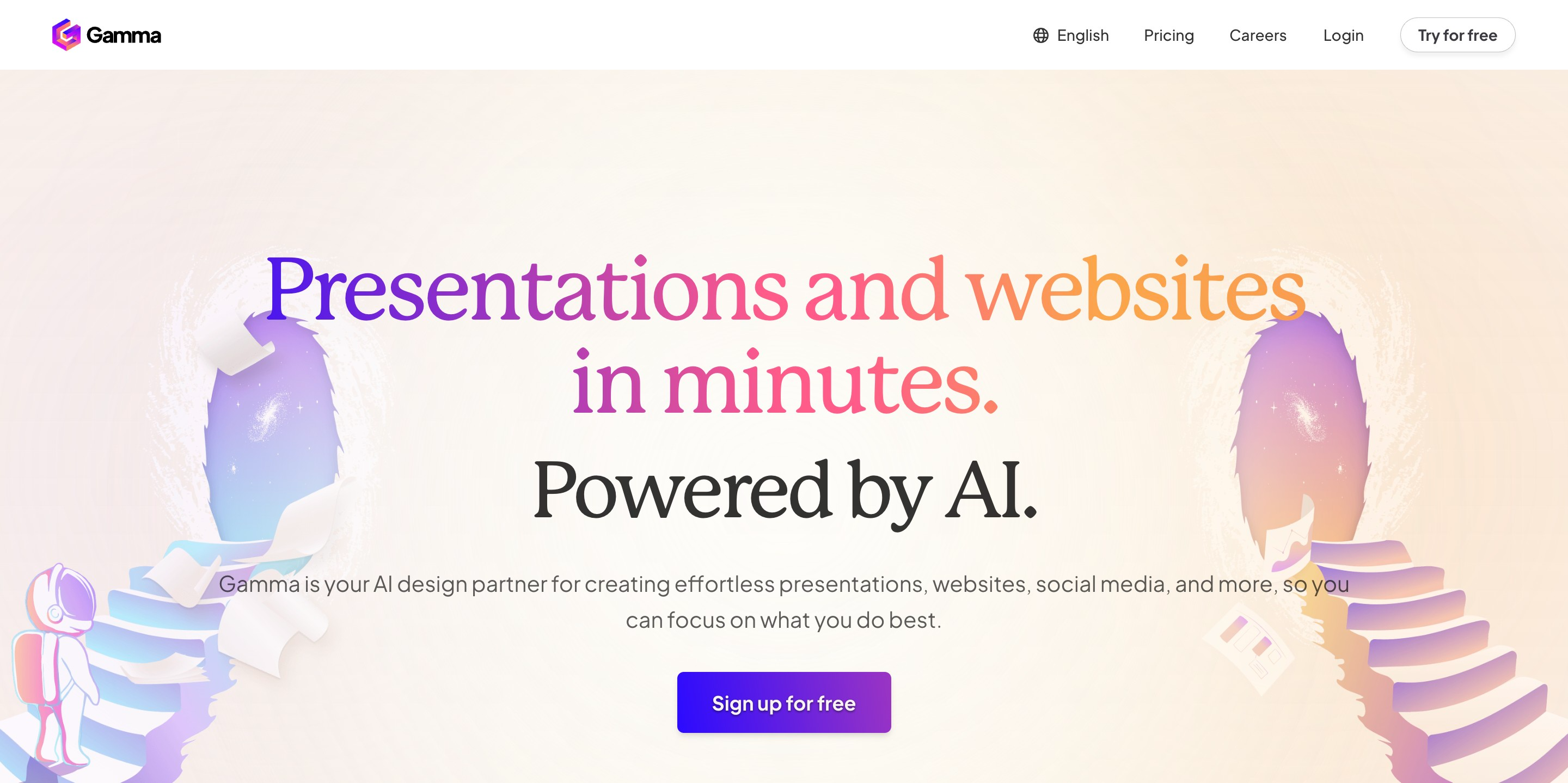
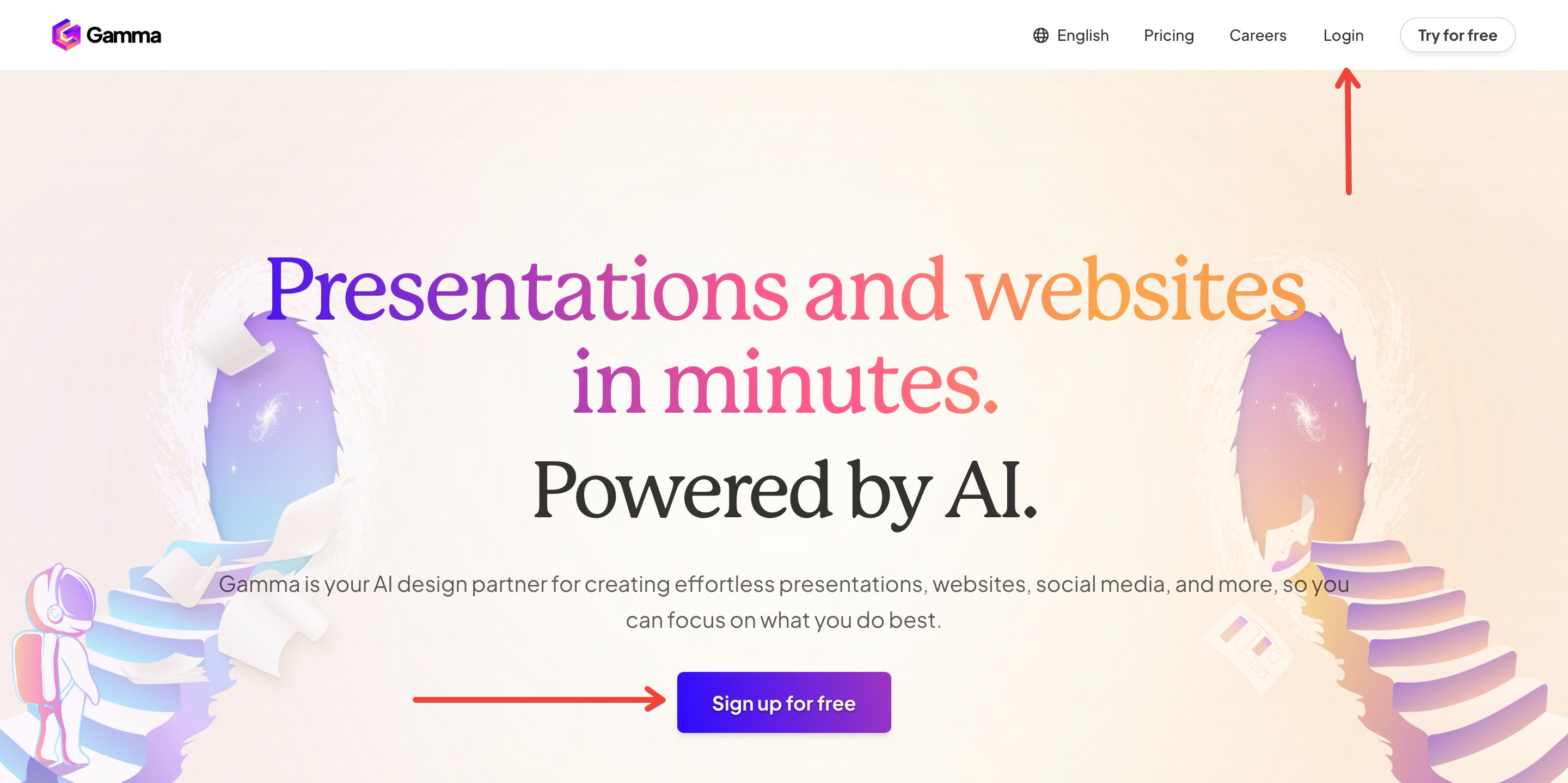
- Sign Up or Log In – Create an account using your email or log in if you already have one.
- Choose a Template – Pick from a variety of professional templates or start from scratch.
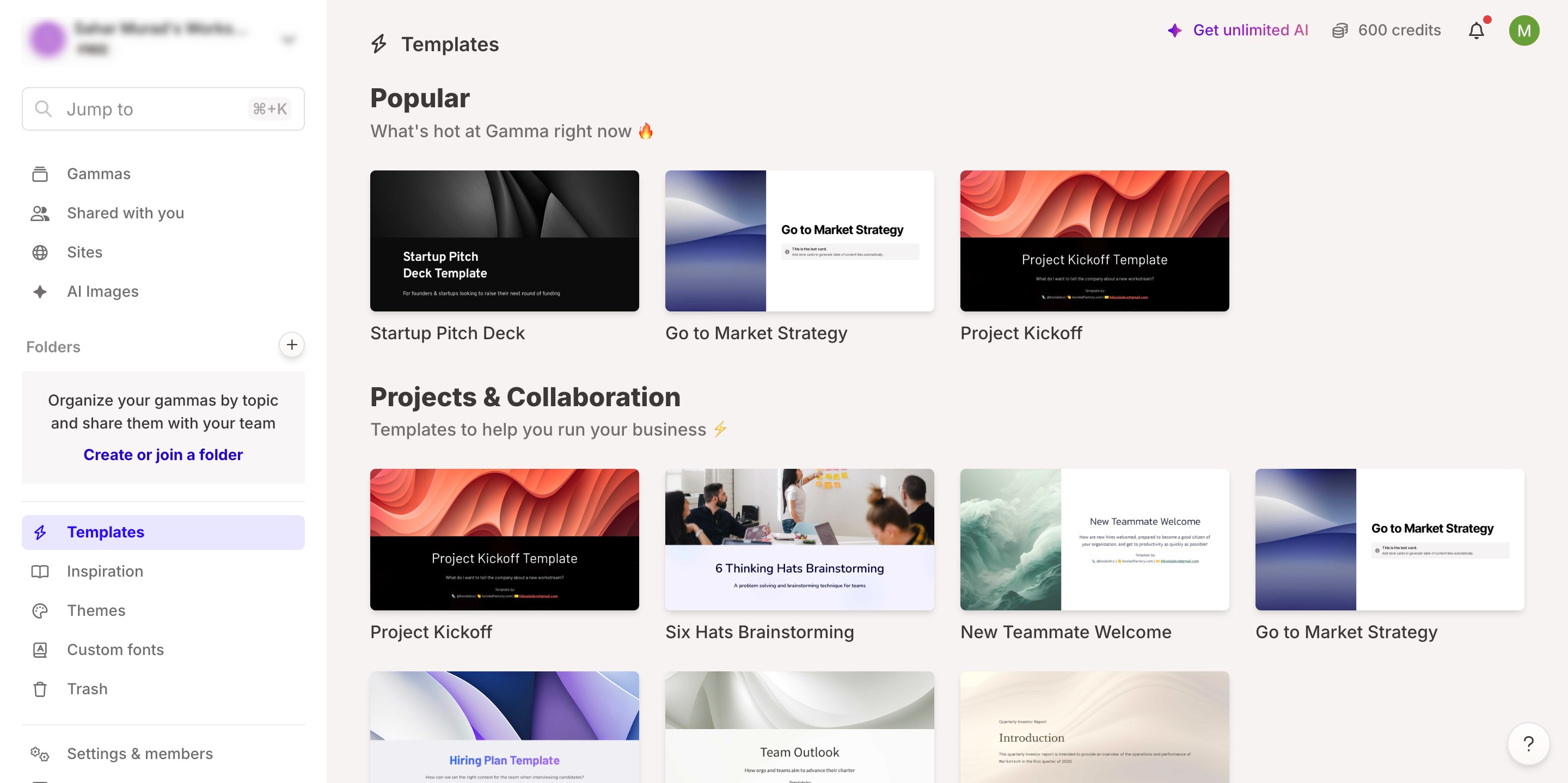
- Enter Your Content – Input your text, headings, and media elements.
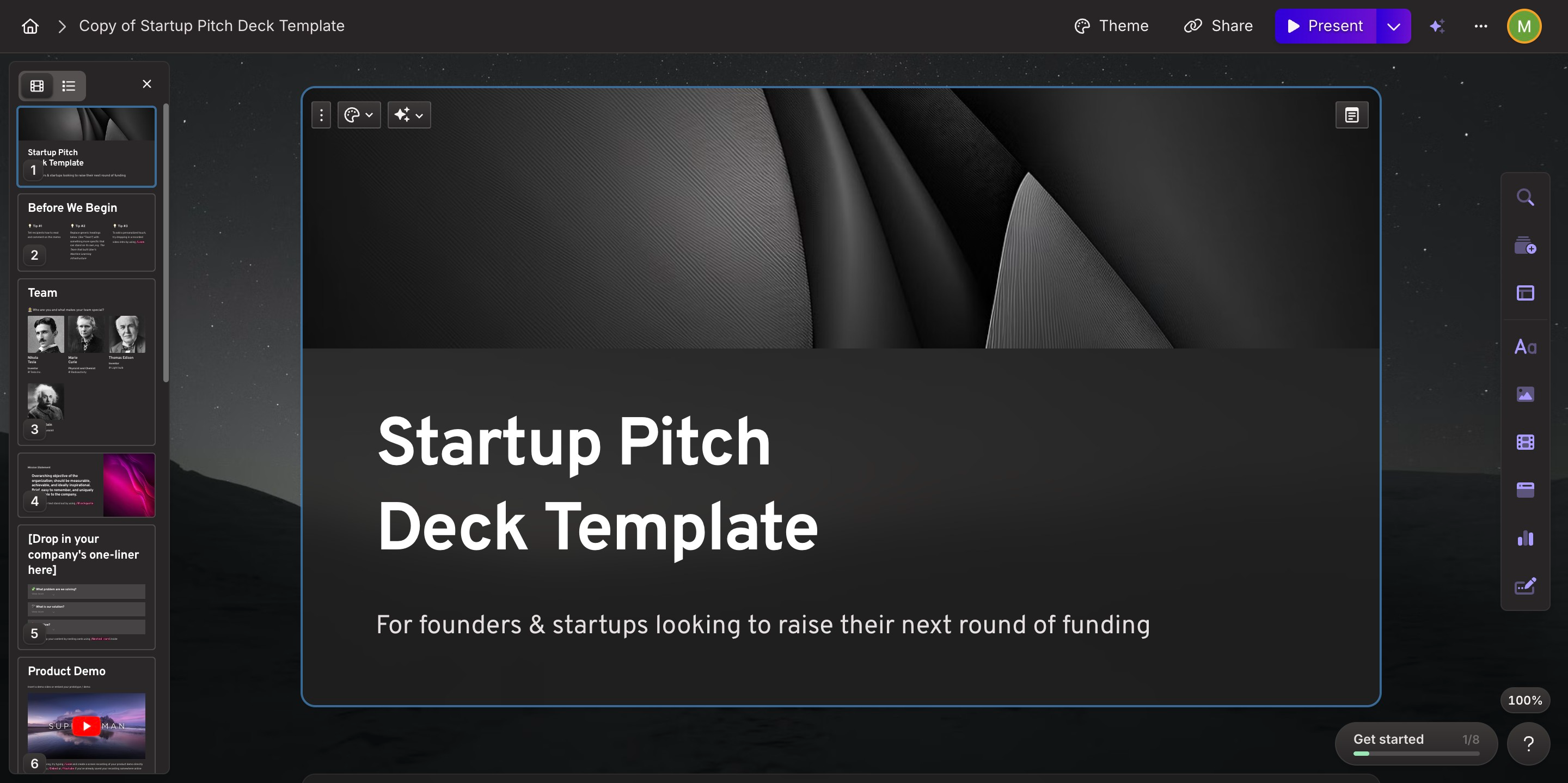
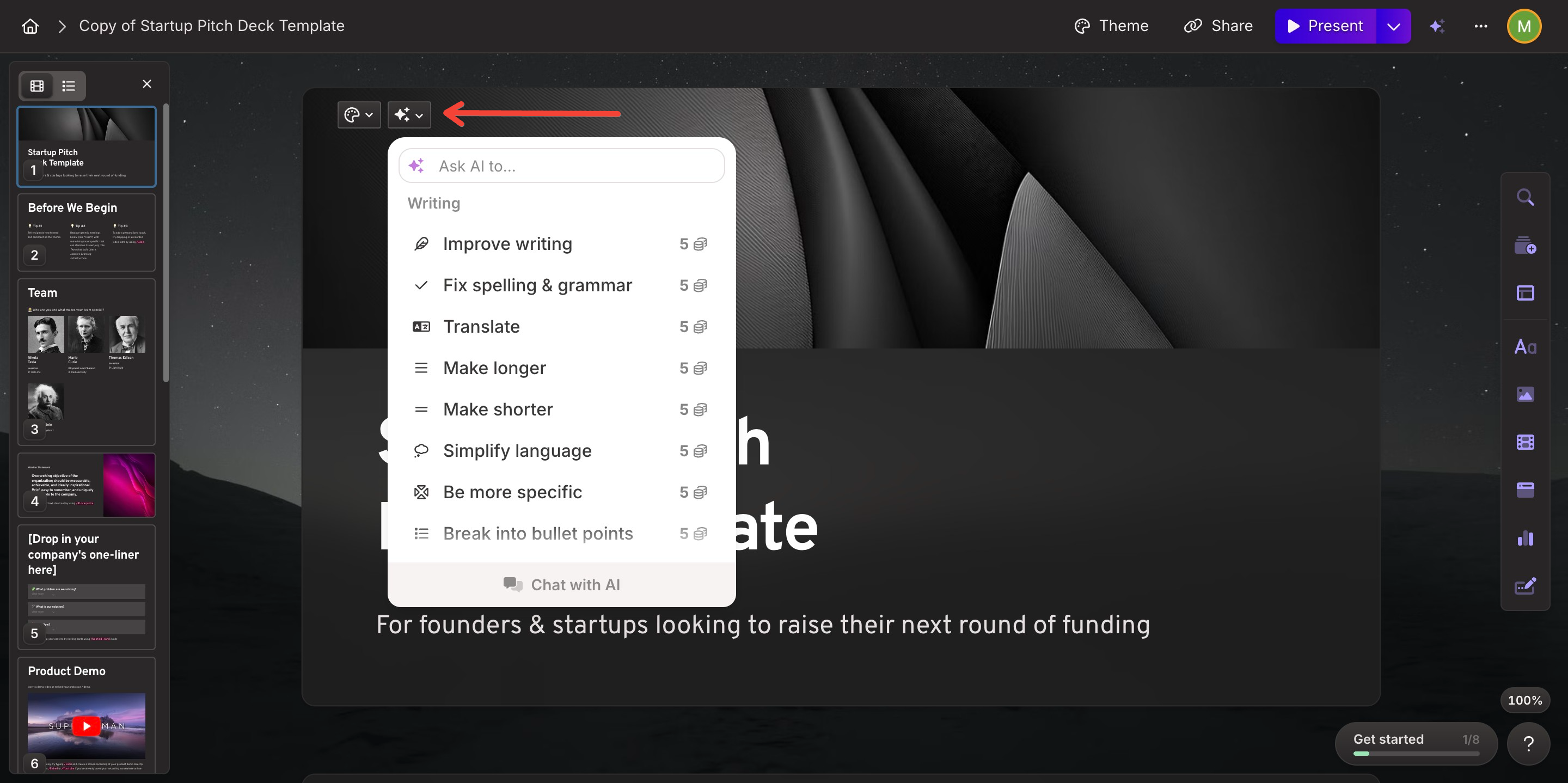
- AI Formatting and Enhancement – The AI will automatically format your slides for a professional look.
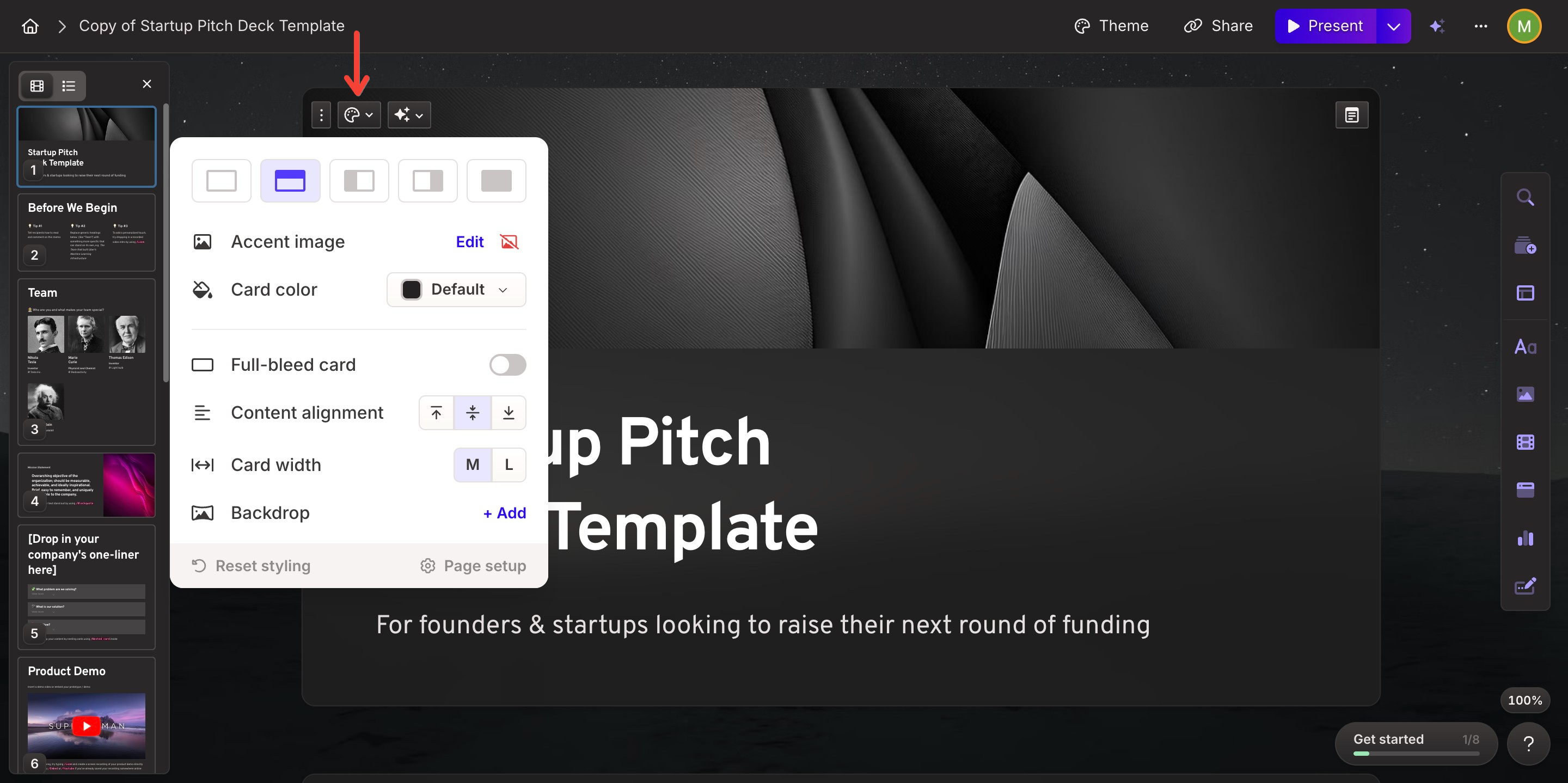
- Customize Your Slides – Modify colors, fonts, layouts, and images to match your style.
- Download or Share – Export your presentation in PowerPoint or Google Slides format or share it directly.
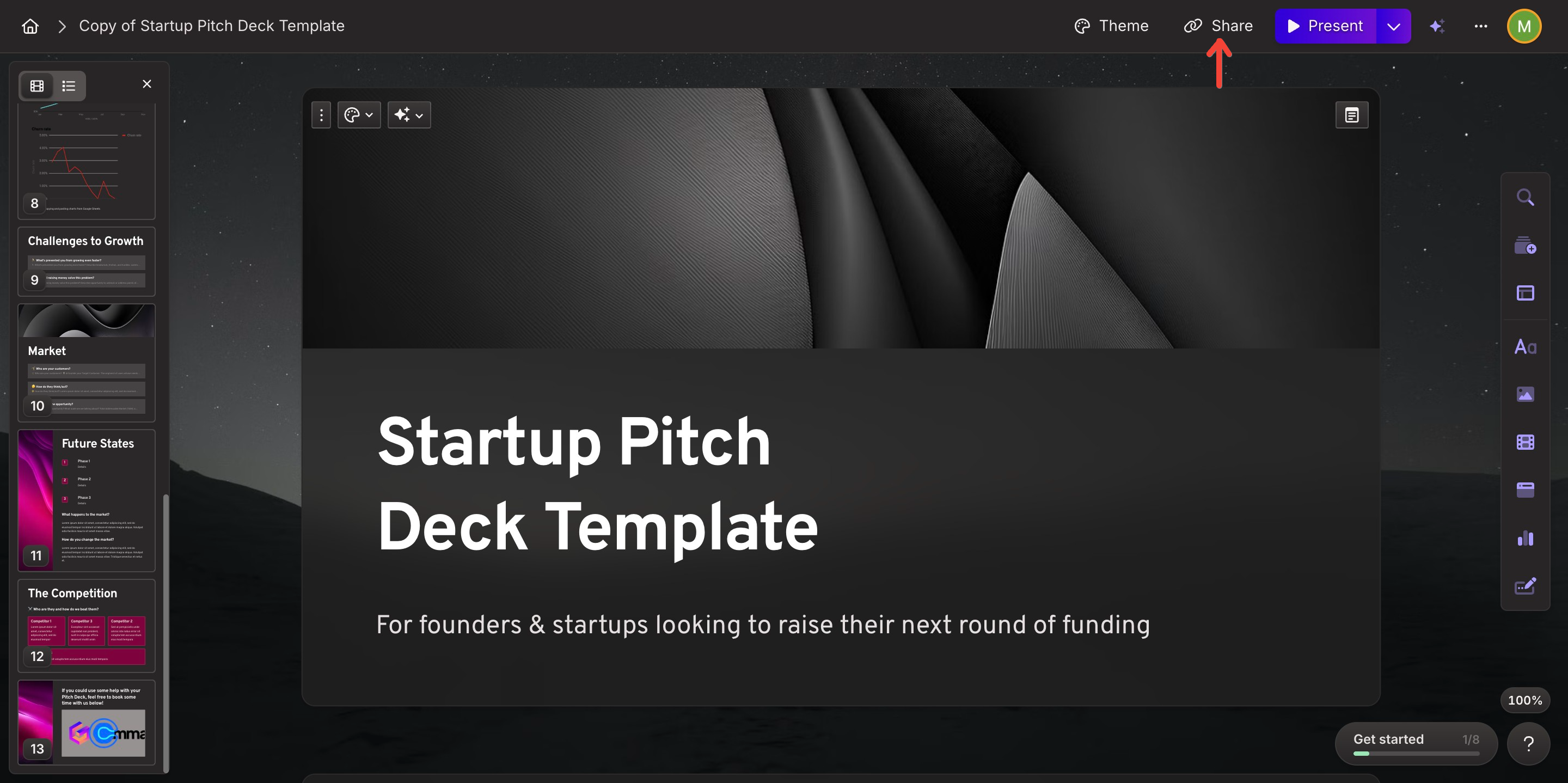
Gamma AI PPT is an excellent tool for creating slides quickly, but some users may want additional features, better pricing, or deeper integration with Google Slides. That is where MagicSlides comes in as an alternative.
MagicSlides: A Powerful Alternative to Gamma AI PPT
MagicSlides.app is an AI-powered tool that automatically generates presentations based on a topic or input text. Unlike Gamma AI PPT, MagicSlides integrates directly with Google Slides, making it a preferred choice for users who work within the Google ecosystem.
How to Use MagicSlides.app
- Visit MagicSlides.app – Go to MagicSlides.app.
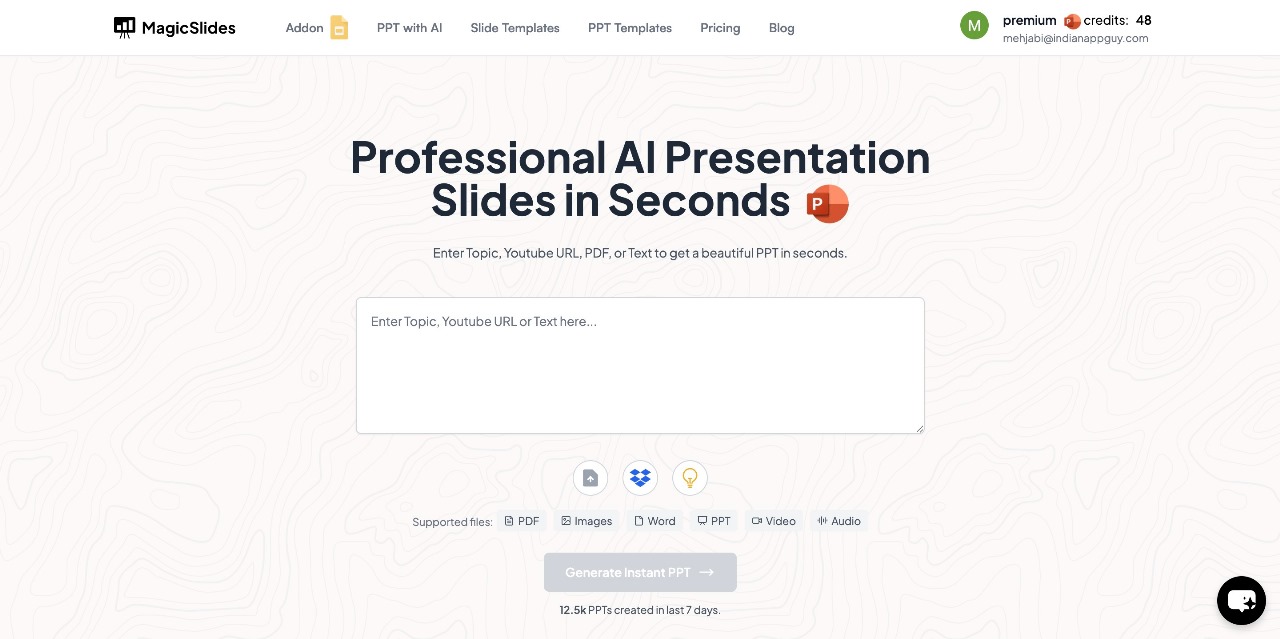
- Enter Your Topic – Type in the subject or title of your presentation in the provided space.
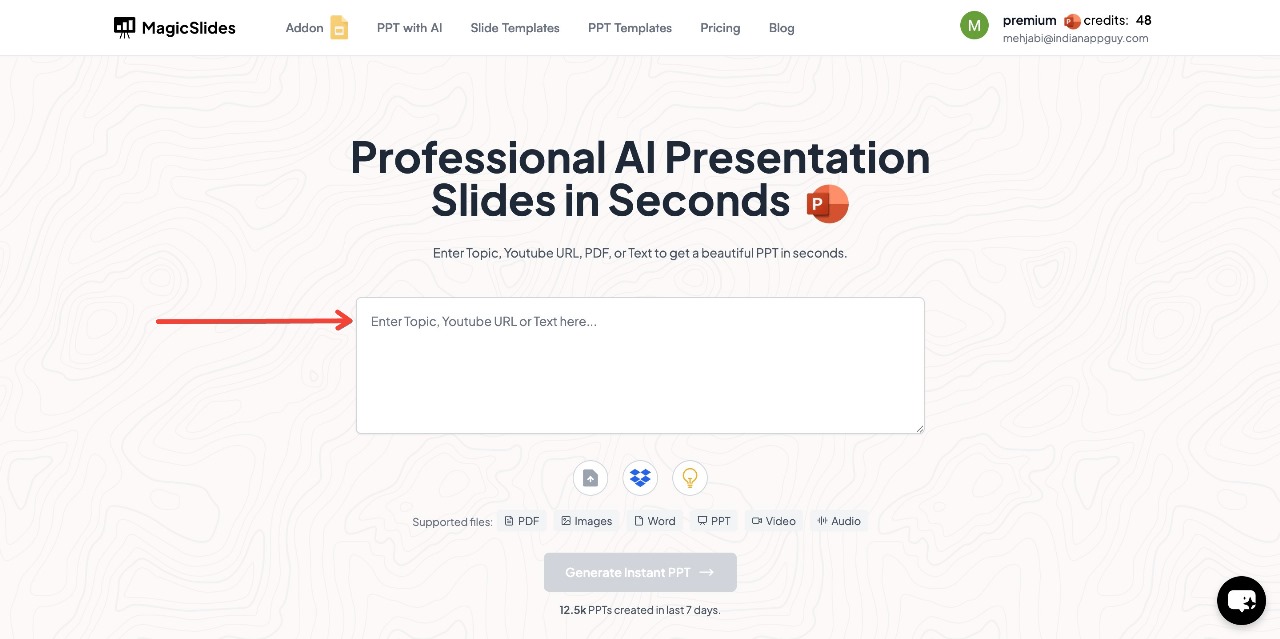
- Click "Generate Instant PPT" – The AI will start creating slides based on your topic.
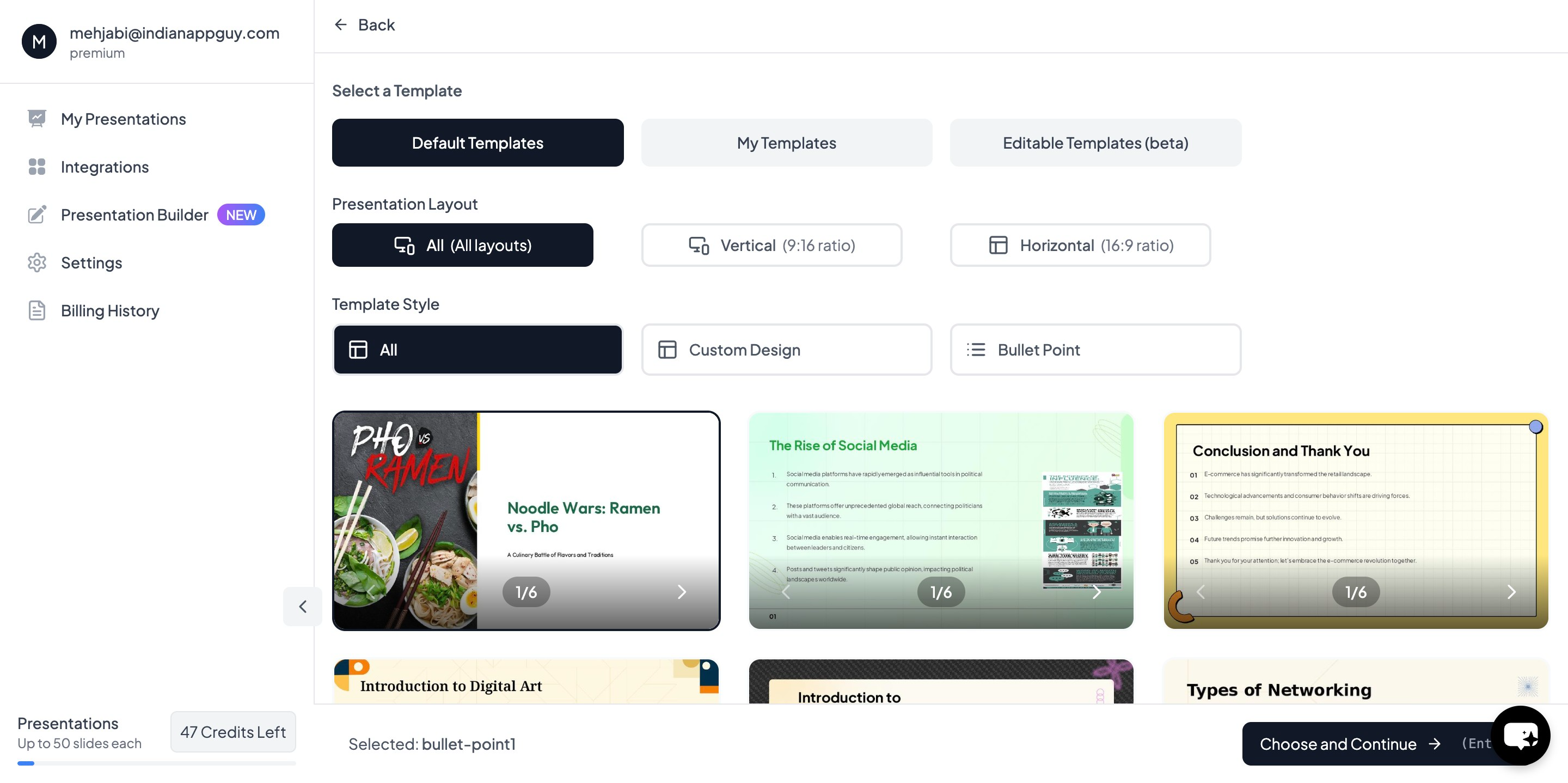
- Choose your template and select the number of slides as prompted
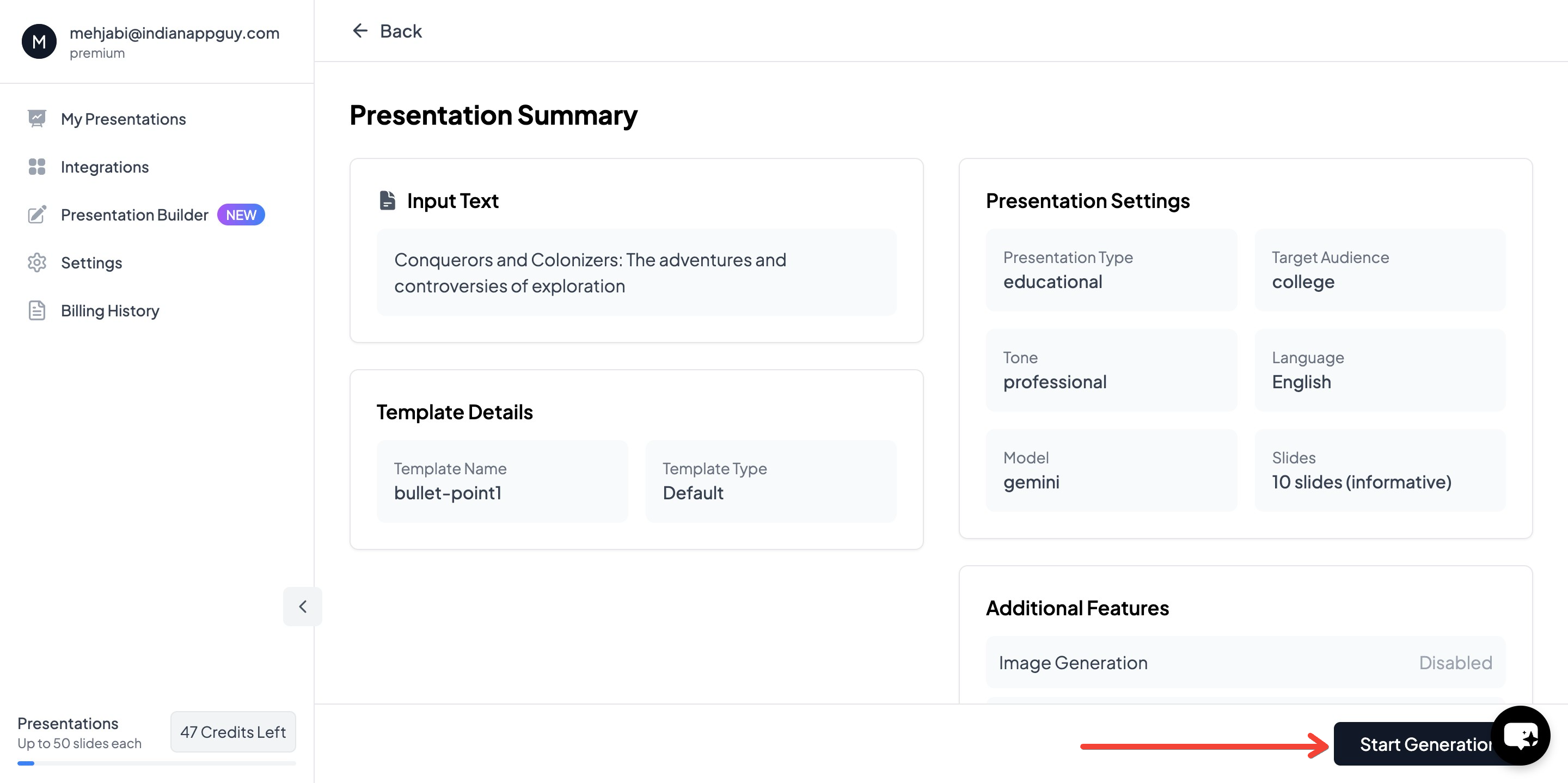
- Click "Start Generation" and wait for your slides to be created
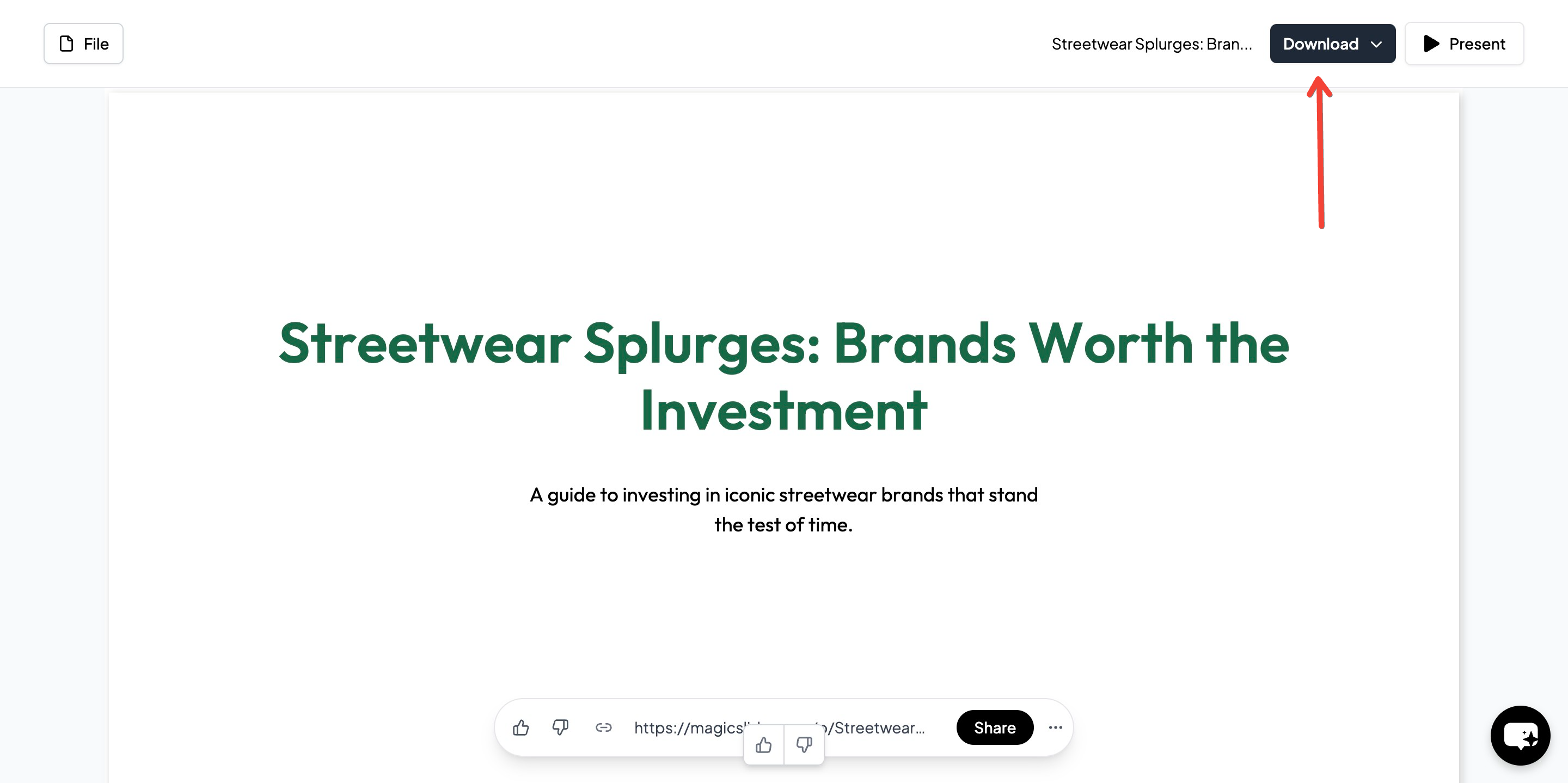
- Download your PowerPoint presentation and start practicing your speech
MagicSlides is ideal for those looking for quick, professional, and AI-powered presentations with minimal effort.
MagicSlides Pricing and Features
MagicSlides offers three pricing plans, catering to different user needs.
| Feature | Essential ($6.7/month) | Pro ($12.4/month) | Premium ($149/year) |
| Presentations per month | 10 | 50 | Unlimited (12k chars) + 50 (100k chars) |
| YouTube Video Conversion | Up to 16 min | Up to 16 min | Up to 1 hour |
| PDF Conversion | 5 pages | 5 pages | 20 pages |
| Character Input Limit | 12,000 | 12,000 | 100,000 |
| Slides per Presentation | Up to 10 | Up to 15 | Up to 50 |
| Images from Google | Included in all plans | Included in all plans | Included in all plans |
| Data from Google & Wikipedia | Included in all plans | Included in all plans | Included in all plans |
| Video to PPT | 10 videos/month (16 min each) | 20 videos/month (16 min each) | 40 videos/month (1 hour each) |
| AI-Generated Images | Not included | Included | Included |
| Google Slides Add-On | Included in all plans | Included in all plans | Included in all plans |
| Plugin for Figma | Included in all plans | Included in all plans | Included in all plans |
| GPT for ChatGPT Integration | Included in all plans | Included in all plans | Included in all plans |
| Zapier Integration | Included in all plans | Included in all plans | Included in all plans |
| Slide with AI | Included in all plans | Included in all plans | Included in all plans |
| 100+ Languages Supported | Not included | Included | Included |
| AskPPT for Chat Support | Not included | Included | Included |
| Use Any PPT as a Template | Not included | Included | Included |
MagicSlides is a cost-effective alternative to Gamma AI PPT, especially for users who frequently create Google Slides presentations and need AI-driven automation.
Conclusion
Both Gamma AI PPT and MagicSlides.app are excellent AI-powered presentation tools, each with its own strengths. Gamma AI PPT provides aesthetic AI-powered formatting, while MagicSlides offers direct integration with Google Slides and flexible pricing options.
For users looking for an affordable, fast, and easy-to-use AI presentation tool, MagicSlides is a great choice. It simplifies the presentation-making process and saves time while delivering high-quality slides.
To try out MagicSlides, visit MagicSlides.app and generate your first AI-powered presentation today.
Share on socials
About the author
Mehjabi Khan is a technical writer experienced in simplifying complex product workflows and user education. Her portfolio includes content programs for Mahindra and Suzuki, with a focus on clarity, accuracy, and helpfulness.
More from the blog
How to insert bitmoji into Google Slides
17 March 2026
Top 12 PowerPoint Alternatives Compared – Find the Best Presentation Tool
17 March 2026
Genetics Topics for Presentation: 100+ Comprehensive Ideas
17 March 2026
Interesting Biology Topics for Presentations: 100+ Captivating Ideas
17 March 2026
How to add morph Transition in PowerPoint
15 March 2026
How to Convert PPT to Google Slides - Complete 2026 Guide
13 March 2026
How to animate google slides
10 March 2026
50+ Funny Presentation Topic Ideas to Get You Started
5 March 2026
Scribd PPT Downloader Free: Step-by-Step Guide (Updated 2026)
2 March 2026
